Goodbye, Microsoft
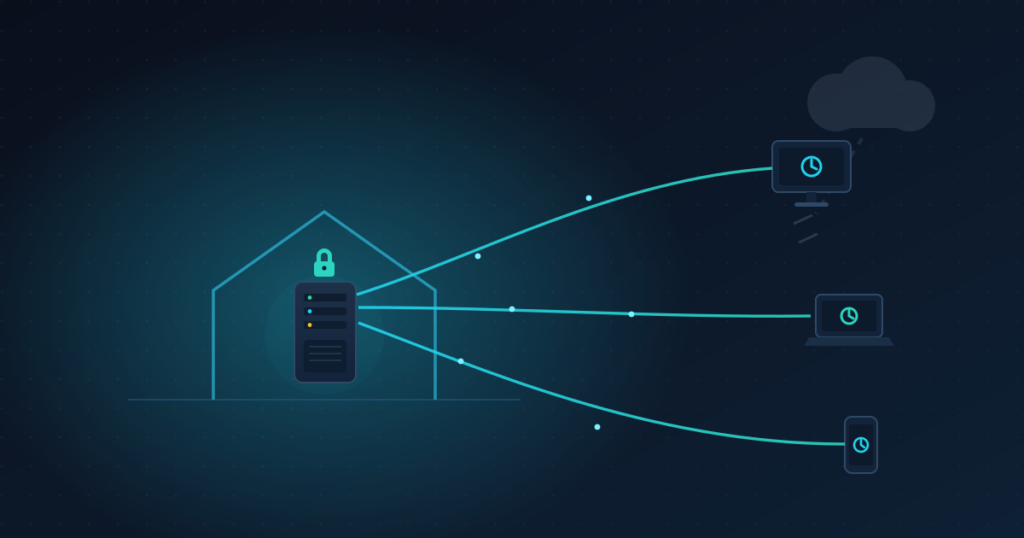
After years of paying a yearly subscription to keep my files in someone else’s cloud, I finally did it. Every personal document, every photo, every contact and calendar entry now lives on hardware I own, in my own home, under my own administration. No more OneDrive. No more renting space on machines I never see, run by a company that ultimately holds the keys to it.
This is the story of how I replaced Microsoft 365 with a self-hosted stack built on Docker, and the technical problems I had to solve along the way. My setup is far from perfect, and I know it well. But it works, it is mine, and that is the whole point.
Why bother
Let me be honest about the two reasons that pushed me here.
The first one is control over my data. When your files live on a provider’s servers, they live on someone else’s computers. You are bound by their terms, their jurisdiction, and their access. They hold the keys to the building. For a lot of people that is a fine trade for the convenience. For me it stopped being acceptable.
The second one is cost, and this is where it gets interesting. I was already paying for everything that makes self-hosting possible. I run servers at home for other projects. I own a NAS. I pay an electricity bill every month regardless. Those costs exist whether or not I host my own cloud. The Microsoft subscription, on the other hand, was a pure recurring fee on top of all that, every single year, just to store a few terabytes of my own data on machines I do not control. Once you already run the hardware, the marginal cost of hosting your own cloud is close to zero. That realization is what made the decision easy.
So the goal of this article is simple. I want to show that it is possible. Not easy, not effortless, but possible, with open-source software and hardware many of us already own.
The stack
The core of the setup is two pieces of open source software:
- Nextcloud for files, contacts and calendar, the direct replacement for OneDrive
- Collabora Online for editing documents in the browser, the replacement for the Office web apps
Everything runs in Docker, organized as separate Compose stacks. Around them sits the plumbing that makes the whole thing reachable and safe from the public internet:
- Cloudflare in front, handling DNS; in proxied mode for most subdomains, and in DNS-only mode for the Nextcloud subdomain, for reasons covered later
- a reverse proxy terminating TLS and routing traffic to the right container, with OAuth2 single sign on guarding the services that need it
- a NAS holding the actual user files, mounted into Nextcloud over NFS
- MariaDB as the database and Redis for caching
- Restic pushing encrypted backups to an S3 compatible object store
The sync clients run on Android, on Fedora and on Windows, so the same files follow me across every device, exactly like OneDrive used to do, except the server at the other end answers to me.
How a request actually flows
Nothing is exposed directly. A request from the browser travels like this:
Browser
-> Cloudflare (DNS + proxy for most; DNS only for Nextcloud)
-> reverse proxy (TLS termination, routing, SSO)
-> Docker container (Nextcloud or Collabora)
The certificates are issued automatically by the reverse proxy through Let’s Encrypt, so HTTPS is handled without manual renewals.
Cloudflare stays in proxied mode for most endpoints. The Nextcloud subdomain is an exception and runs in DNS-only mode, because Cloudflare’s Free and Pro plans cap proxied uploads at *100* MB per request.
For a personal cloud that handles large files, that limit is a hard wall. The consequences of that choice, including what breaks and how to fix it, are covered in a later section.
The storage split, and why the cache cannot live on the NAS
This was the first real problem, and it is a good example of why self-hosting teaches you things a subscription never will.
I wanted the user files on the NAS, reachable over NFS, so that my storage, several terabytes of it, stays on dedicated disks and gets backed up to object storage. That part is straightforward. The trap was assuming I could put everything on the NAS, including Nextcloud’s own cache directory.
I could not. Here is why.
NFS buffers writes on the client side. Nextcloud writes a small cache file and then reads it back almost immediately. Over NFS, that read can return the previous content still sitting in the client cache instead of what was just written.
Parsing that stale content returns null, and the App Store crashes with a 500 error. On a local disk the problem simply does not exist.
The answer is to split storage into three tiers, each with a different job:
- critical data, the database and the instance configuration, on local disk, versioned in git and backed up
- regenerable runtime, the Nextcloud core extracted from the image plus the cache and the thumbnails, on local disk, not backed up because Docker and Nextcloud rebuild it on their own
- user files on the NAS over NFS, backed up to object storage
Only the user files go on the network share. The cache stays local. Once I understood that, the random 500 errors went away.
There was a smaller detail on top of this. Nextcloud names its cache folder using a random instance id generated on first run, which made the path unpredictable. I simply pinned the instance id to a fixed value in the configuration, so the cache folder always has the same name and I can mount it cleanly.
Making Collabora work behind a reverse proxy
The second problem was getting Collabora to behave behind TLS that it does not terminate itself.
The reverse proxy handles HTTPS. Collabora receives plain HTTP on its internal port.
The issue is that, by default, Collabora does not know it is sitting behind an SSL proxy, so it advertises its own URLs with an http:// scheme in the discovery endpoint that the browser reads. The browser then tries to load the editor over plain HTTP on a hostname that only answers on HTTPS, and the whole thing fails.
The setting that solves this is ssl.termination. With it nabled, Collabora knows TLS is terminated upstream and advertises https:// URLs instead. In the Compose override it looks like this:
environment:
  aliasgroup1: https://cloud.example.tld:443
  extra_params: --o:ssl.enable=false --o:ssl.termination=true
ssl.enable=false tells Collabora not to handle TLS itself, because the proxy already does. ssl.termination=true is the one that matters.
Without it, the certificate is valid, but the editor still refuses to load. That is a wonderful way to lose an evening. Well, two days.
The callback that kept returning 403
The third problem was the subtlest. Collabora does not only receive requests, it also calls back into Nextcloud to read and write the file you are editing. That callback goes to the public Nextcloud URL.
The first thing I tried was a host override inside the Collabora container, pointing the Nextcloud hostname directly at the reverse proxy’s current IP on the Docker bridge:
extra_hosts:
  - "cloud.example.tld:172.18.0.4"
It worked, but it is fragile in exactly the way it looks. Docker assigns bridge addresses dynamically. Recreate the reverse proxy container and the IP changes. The override silently breaks, and you spend time debugging something that was never really solved.
The actual fix requires no compose configuration at all. It relies on hairpin NAT. When Collabora calls the public Nextcloud URL, the request leaves the container, reaches the router, and loops back into the server on the same interface. The reverse proxy picks it up exactly as it would pick up any inbound request and routes it to the Nextcloud container. No extra_hosts, no hardcoded addresses, nothing to maintain.
The second piece is security. Nextcloud has a WOPI allow list, designed to restrict callbacks to known internal addresses. With hairpin NAT the source address is whatever the NAT produces, which is not stable, so a static allow list does not fit this setup. It is also not needed. Every WOPI callback carries a per-document token, signed cryptographically, with a short time-to-live. A request without a valid token cannot access the file regardless of where it came from. The token is the access control, not the source address.
One practical note: Nextcloud displays a warning under Administration -> Office that the allow list is not configured. That is expected behavior and can be ignored.
The 100 MB limit: moving Nextcloud off Cloudflare proxy
Cloudflare imposes a hard upload limit of 100 MB per request on its Free and Pro plans when a domain is in proxied mode.
For most web applications that ceiling is invisible. For a personal cloud where you routinely push large videos, raw photographs, or compressed archives, it is a wall you will hit quickly and without a useful error message on the client side.
The fix is to move the Nextcloud subdomain from proxied mode, the orange cloud in Cloudflare’s dashboard, to DNS-only mode, the *grey* cloud. With DNS-only, Cloudflare resolves the hostname to the origin IP and steps out of the request path entirely. TLS termination stays with the reverse proxy, as before.
Routing stays with the reverse proxy. Nothing about the internal architecture changes. The only difference is that the request travels directly to the server instead of passing through Cloudflare’s infrastructure.
The one thing you lose is a small convenience: Cloudflare’s proxy injects the HSTS header automatically. With grey cloud, that header has to come from somewhere else. In this setup Nextcloud runs on Apache inside the container, so the right place is an Apache configuration file mounted at startup.
Create config/hsts.conf:
Header always set Strict-Transport-Security "max-age=15552000; includeSubDomains"Mount it in the container override:
volumes:
  - ./config/hsts.conf:/etc/apache2/conf-enabled/hsts.conf:ro
The trade-off is that the origin IP is now visible to clients instead of being masked by Cloudflare.
On a VPS with a static address that is generally not a concern. On a residential connection with a fixed IP assigned by your ISP it is worth thinking about. Your threat model decides.
It is far from perfect
I said it at the start and I will say it again, because I would rather be honest than sell you something.
This setup has rough edges. I am still polling for file changes on a thirty second timer instead of getting instant push notifications, which is a separate piece I have not wired up yet.
Email notifications are not configured. I have not tuned the memory limits on the containers under real load. The storage share is still on a test path that I need to migrate to its final home. None of this is finished.
But none of it stops the thing from doing its job. My files sync across three operating systems. I open and edit documents in the browser. My contacts and calendar are mine. And the data sits on disks I can physically touch.
Perfect is not the goal. Sovereignty over my own data is.
The next step: encrypting at the source
There is one honest gap I want to close next, and it is about where the plaintext lives.
Right now my backups to object storage are encrypted by Restic before they leave, which is good. But the live data on the NAS, and anything that would land directly in a bucket, is readable at rest on systems other than my own desktop. The next step is to encrypt the data at the source, on the client, so that what ends up in an S3 compatible repository is only ever ciphertext. The provider would store my data without ever being able to read it.
This comes with a real trade-off, and I want to be clear about it rather than pretend it is free. Deduplication on the storage side relies on spotting identical blocks of data and storing them once. Encryption deliberately destroys that pattern. Two identical files, once encrypted properly, produce completely different ciphertext, so the repository can no longer deduplicate them. I lose the storage efficiency that native deduplication would have given me.
For me that is an acceptable price. I would rather pay for a bit more storage than hand a provider readable copies of my documents. Confidentiality first, efficiency second. That is the next thing I am going to build.
It is possible
That is really the message I want to share.
You do not need a data center. You need some hardware you very likely already own, a domain, open source software that a generous community maintains, and the patience to work through a handful of genuinely interesting problems. The result is a personal cloud that does what the big subscription does, except the data is yours, the recurring bill stops, and nobody else holds the keys.
I broke free from Microsoft. You can too.
Acknowledgments
Thanks to the Nextcloud and Collabora communities, and to everyone who maintains the open-source plumbing that makes this kind of setup reachable at all. Self-hosting is only accessible because so many people give their work away.
Leave a Reply