Why I wrote it
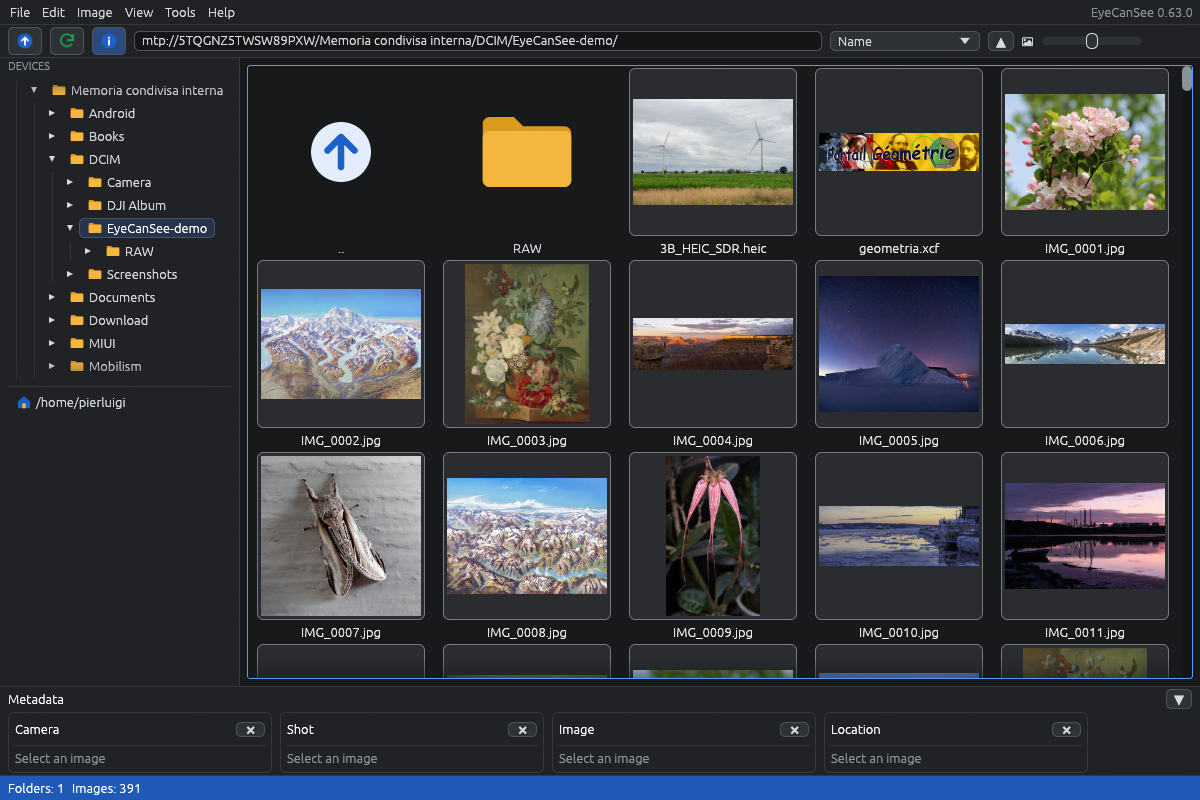
I am not a programmer any more, and have not been for years. What I wanted was simple: look at my photos. Some are on the computer, some on external disks, some on a NAS, and the newest ones are always on the phone. Every program I tried wanted me to import them first, build a catalogue, or go through the file manager, which with an Android phone over USB means waiting minutes for a folder to appear.
So I wrote EyeCanSee, with the help of Claude Code. I describe what I need, test every feature on my own computers, disks, phones and servers before it goes in, and the manual says what is known not to work. It is free software (GPL-3.0-or-later), for Linux and Windows, written in Rust.
What it does
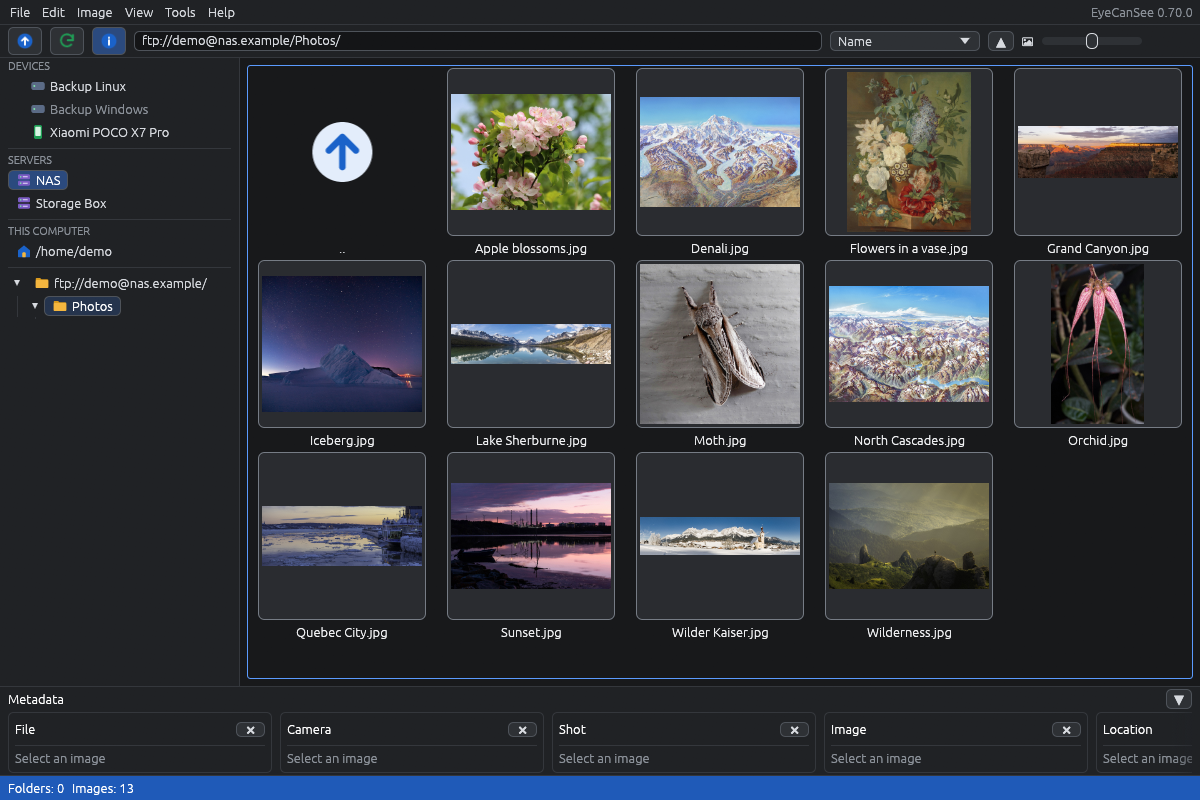
You open a folder and the photos are there. No import, no database, no waiting. And the folder can be anywhere: on the computer, on an external disk or SD card, on an SFTP or FTP server, or on an Android phone plugged in over USB. They are all browsed the same way, side by side in the left panel.
From there it does the daily work with photos and videos:
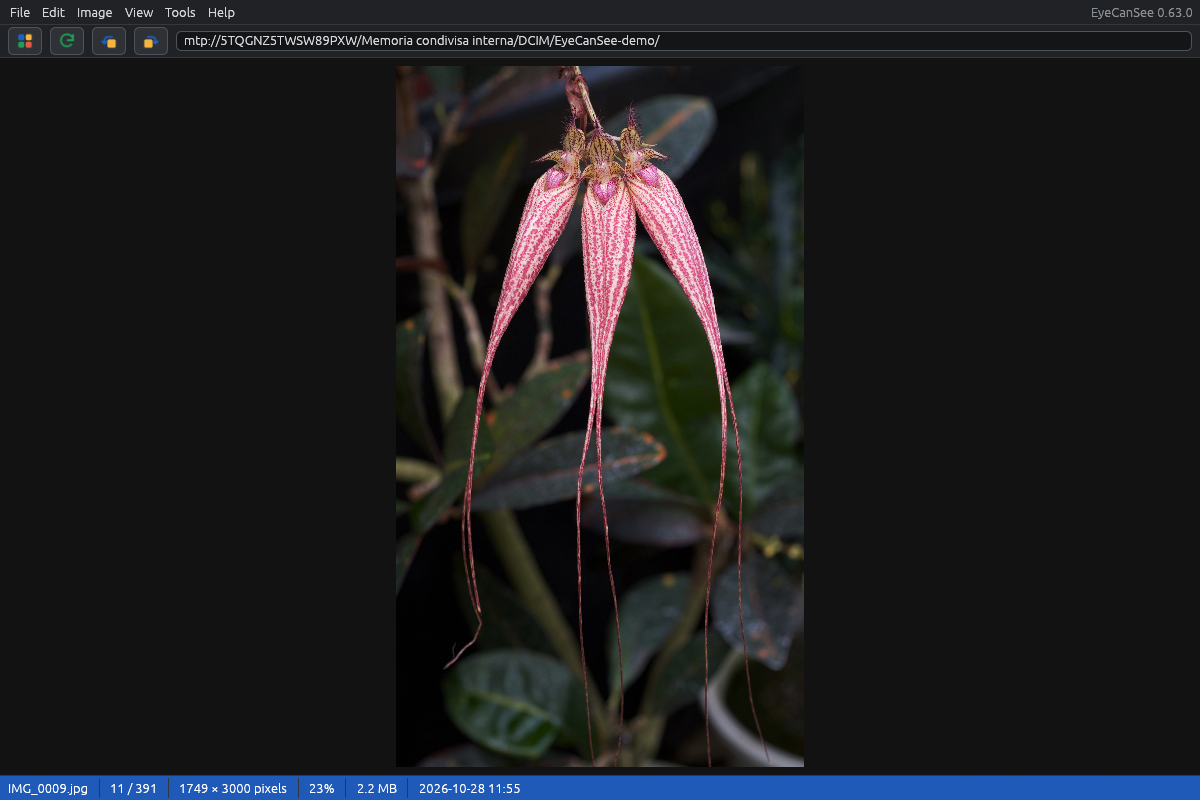
- A viewer with zoom and preloading, photo details (camera, exposure, date, location) and a slideshow.
- Videos with thumbnails, playback with sound and volume, and their details.
- Copy and move between any two devices, from the phone to the NAS, from a disk to the computer. Rename, new folders, a trash on every device.
- Duplicate finder, which deletes the copies you choose and always keeps one.
- Rotating, cropping, and saving in another format (JPEG, PNG, WebP, AVIF, TIFF and others) with the original and the result side by side.
- Converting and resizing many files at once, images and videos, also straight onto another device.
- Video conversion with FFmpeg (MP4, MKV, WebM, H.264, HEVC, AV1, VP9), on the graphics card when it can, keeping the metadata, including a dashcam’s GPS track or a drone’s position.
- Opens HEIC, AVIF, JPEG XL, Camera RAW from Canon, Nikon, Sony, Fujifilm, Olympus, Panasonic and others, PSD, and many rare formats.
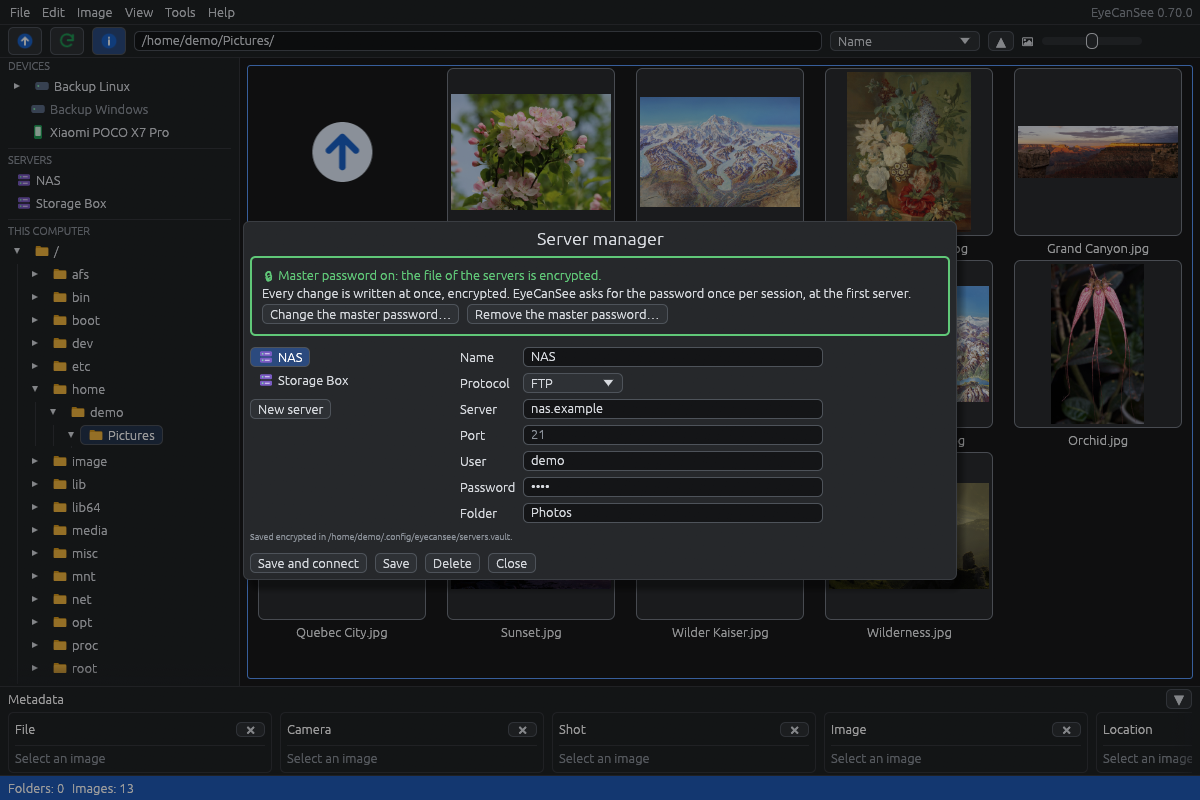
Servers are managed from a server manager: saved with password or SSH key, shown in the left panel next to the disks, in a file that a master password can encrypt.
The numbers that matter
On Linux, EyeCanSee talks to an Android phone directly over USB instead of going through the file manager’s mount. On a POCO X7 Pro with a folder of 400 files, cold caches, Fedora 44: the file manager (gvfs) takes 9.3 seconds just to list the names; EyeCanSee lists them in 0.07 seconds after a 0.5-second open, and shows the first thumbnails within 0.8 seconds.
Part of that speed went back upstream. The phones are read through mtp-rs, a pure-Rust MTP library, and while working on EyeCanSee I contributed folder listings with GetObjectPropList (#45). On the maintainer’s own phones a folder listing went from 5.5 to 0.40 seconds (Galaxy S23 Ultra, 3248 photos) and from 2.8 to 0.24 seconds (Pixel 9 Pro XL).
Servers hold up too. Copying 1.8 GB of video to a Hetzner Storage Box over SFTP took 141 seconds in EyeCanSee against 240 seconds with scp on the same connection; smaller copies come out even with scp. Converting three videos (317 MB) to H.264 on an Intel graphics card and writing them straight onto a Synology NAS over FTPS took 27 seconds in all.
What it does not do, and what does not work
EyeCanSee is not an editor and not a catalogue. If you need heavy editing, keywords and collections, or batch tools, XnView, IrfanView or digiKam remain the better choice.
On Windows, phones go through Windows’ own MTP driver, the same one File Explorer uses, and that driver can stall for several minutes after a photo is taken or a file deleted on the phone. It is not something a program can fix; unplugging the cable frees it at once. EyeCanSee says so after 15 seconds and explains what to do: Windows stops talking to the phone.
No SMB, WebDAV or cloud services yet. What comes next is in the roadmap.
Why you can trust it
Every release is signed with minisign, and the program updates itself only with files that carry that signature; the key is not on GitHub. It has been tested on five Android phones (POCO and Samsung), on a Synology NAS, a Hetzner Storage Box and Linux servers, on Fedora, Linux Mint, KDE and Windows. The README lists what works today and nothing else.
Try it
- Fedora:
sudo dnf copr enable iosonopiero/eyecansee && sudo dnf install eyecansee - Other Linux: the AppImage from the latest release
- Windows: the installer or the portable zip from the same page
Source, issues and manual: github.com/IoSonoPiero/eyecansee. Bug reports and phones I have not tested are welcome.
Leave a Reply